Marketing campaigns and audiences.
OneOrg provides an integrated system for sending email campaigns to defined audiences, managing your contact list, reusing content through templates, and keeping send behavior clean with a suppression list.
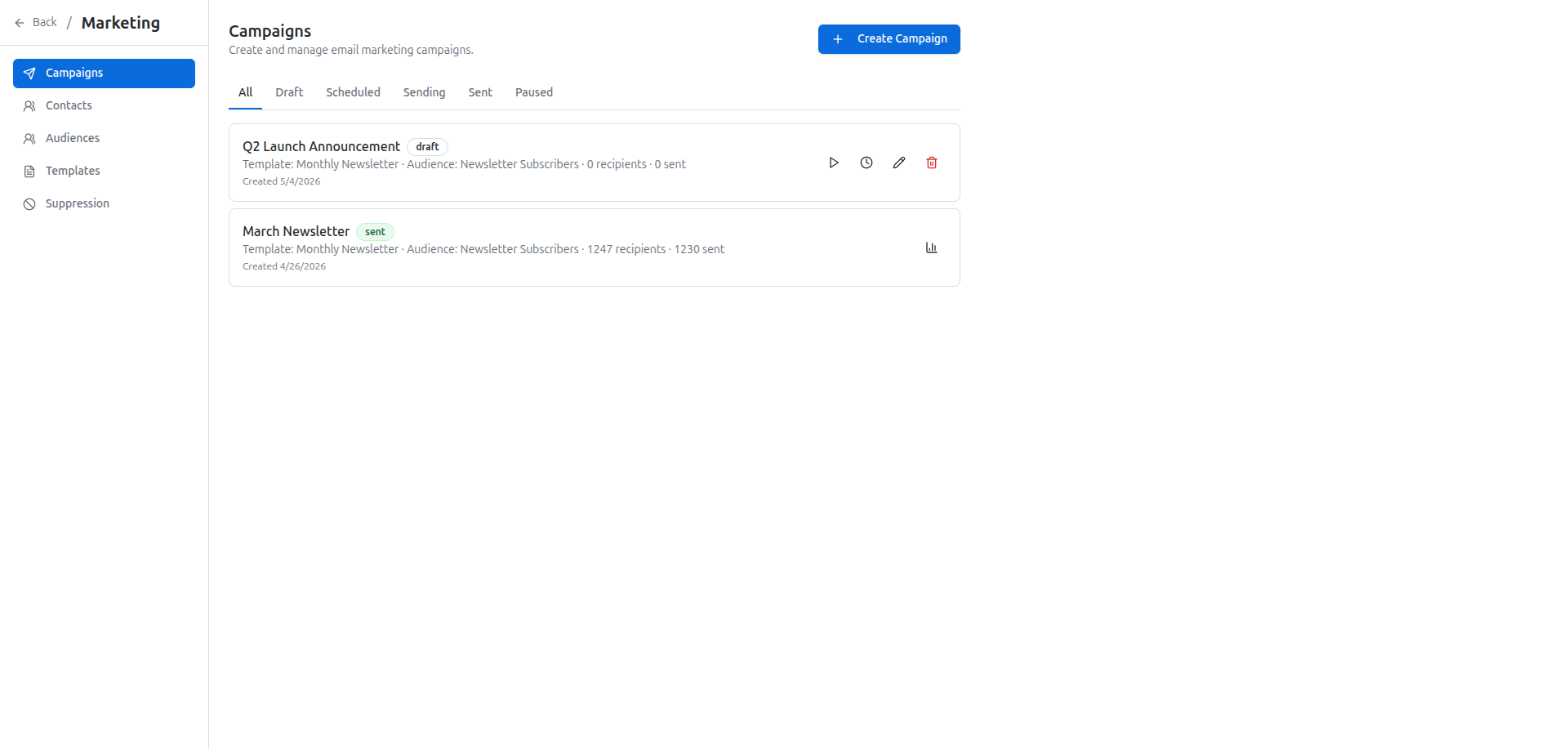
Plan and send email campaigns
Create and manage email campaigns from the Marketing campaigns page. You can:
- Build a new campaign and choose a subject, sender, and audience
- Pick content from an existing template or write it inline
- Send immediately, schedule for a specific time, or pause an in-progress campaign
- View analytics for completed campaigns to see performance at a glance
Campaigns are tied to audiences, not raw lists. That means you define the group of people once, then reuse it across multiple campaigns.
The page uses tabs to organize campaigns by status so you can quickly see what is scheduled, in progress, completed, or paused.
Define audiences instead of guessing
Use the Marketing audiences page to create segments based on clear rules, such as:
- Tags applied to contacts
- How a contact was acquired
- Current status, for example subscriber or customer
After you set your rules, preview the audience to see which contacts match, and evaluate the total size before using it in a campaign. This keeps targeting focused and reduces noise in your sends.
Audiences are the bridge between your contact list and your campaigns. If you update the rules, all future uses of that audience reflect the change.
Manage your contacts
The Marketing contacts page is where you:
- Add contacts manually or import them via CSV or JSON
- Sync organization members into your marketing contact list
- Update, tag, or remove individual contacts
Keep your contact list accurate and current. A clean list means better deliverability and more reliable campaign metrics.
Keep content consistent with templates
Use email templates to standardize how your campaigns look and sound. On the Marketing templates page you can:
- Create templates for recurring communications like announcements, newsletters, or updates
- Preview templates before attaching them to a campaign
- Reuse a template in multiple campaigns without rewriting content
Templates help new team members follow your style and reduce errors when editing campaign content.
Control who does not receive emails
Use the Marketing suppression list to block specific email addresses from campaigns. Reasons include:
- Bounce: the email could not be delivered
- Complaint: the recipient marked your email as unwanted
- Unsubscribe: the recipient opted out
- Manual: added on purpose for a business reason
The suppression list is the first place to check when troubleshooting unexpected sends. If a recipient complains about receiving an email, confirm their address is on the list and adjust your rules if necessary.
Fit for marketing operations
Use OneOrg marketing when:
- You need a single place to manage contacts, segments, and sends instead of switching between tools
- You want to reuse audiences and templates across campaigns without rebuilding lists each time
- You are reviewing campaign performance and need basic analytics alongside send controls
Keep in mind:
- Use audiences instead of static contact lists for anything repeated, so changes propagate automatically
- Always maintain your suppression list to stay compliant and protect sender reputation
- Use templates for any recurring message type to reduce variation and mistakes
Use OneOrg marketing tools when the same message must reach many external contacts, in a controlled and auditable way. Define audiences based on actual segments, not broad guesswork. Maintain templates so the brand stays consistent, and use suppression lists to keep your communications compliant and respectful. Review campaign performance and bounce metrics to adjust segments instead of guessing. If you send a lot of campaigns but see repeated bounces or complaints, audit your contacts and suppression rules before sending more.