Slide decks and AI-assisted presentations.
OneOrg slide decks work best when teams use templates or AI to start faster, then treat the editor as the review boundary before saving, exporting, or presenting.
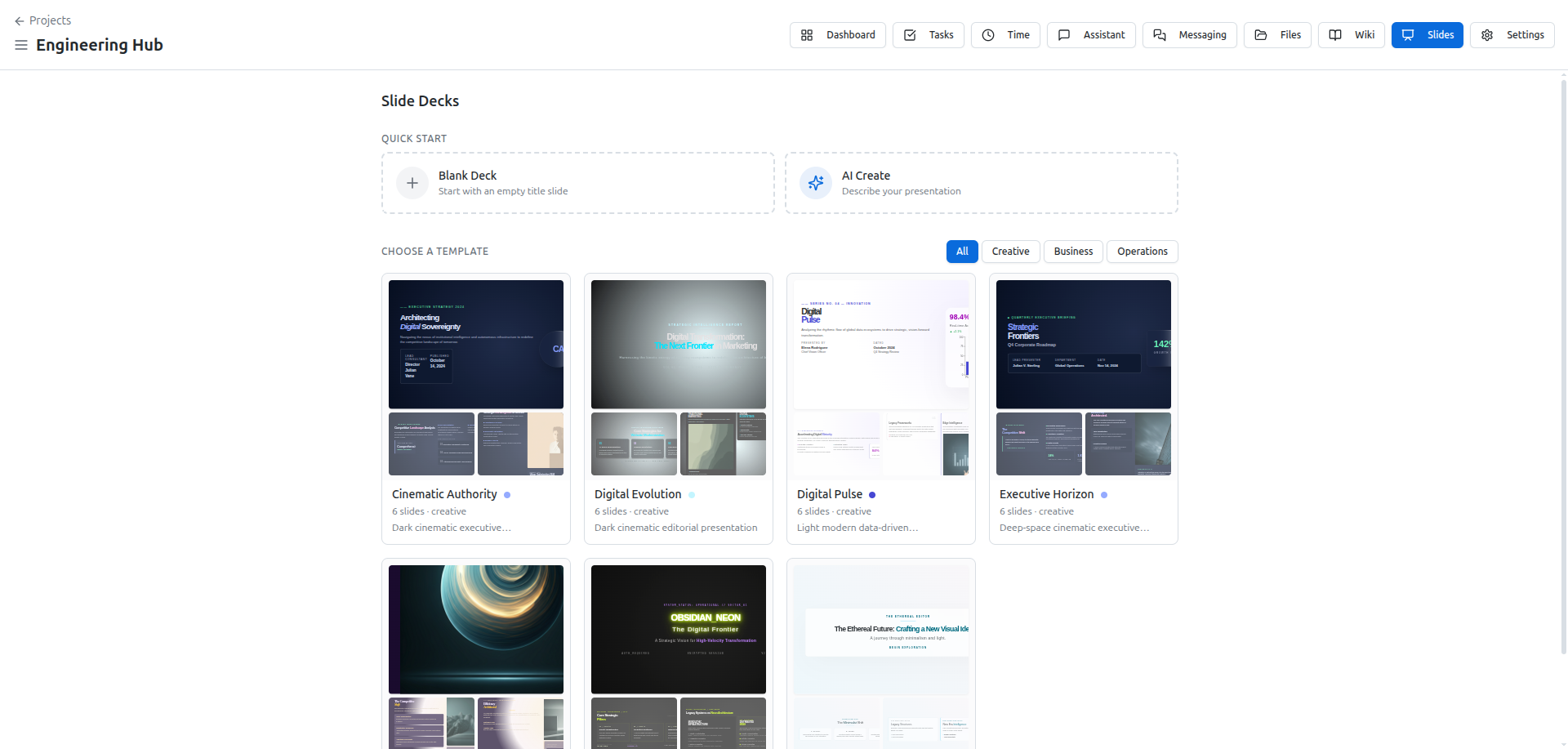
Build the deck workflow
Slide decks live inside a project. Start from the deck list. Choose a template when the structure is known, a blank deck when the team wants full control, or AI assistance when the message is clear but the first draft needs shaping.
Use the editor as the operating surface. The slide navigator controls structure, the canvas holds the content, and the side panel handles styling or AI assistance. When a block is selected, the AI panel can focus on that block. Otherwise it can work at the slide or deck level.
Do not treat generated slides as finished. Review the outline, check claims, adjust the structure, and make sure the deck matches the project context. Save deliberately. Export or present only after the team has reviewed the artifact.
The deck remains the source of truth.
A practical deck workflow is template or AI draft first, human structure pass second, content verification third, export last. Skipping the middle steps turns the deck into generated residue instead of a project artifact.
If the presentation carries external claims, verify those claims before export. OneOrg can help shape the deck, but the team owns the final content.
Good deck work starts before the first slide. Write the audience, decision, and desired takeaway, then choose template, blank, or AI assistance based on that intent. Use AI to accelerate structure and wording, not to decide the argument. Before export, check whether the deck has a clear sequence, whether claims match the project context, and whether the visual density is appropriate for the audience. If the deck will be reused, keep the source deck clean instead of treating the export as the only artifact that matters.
Review before export
Use slide decks when a project needs a presentation artifact tied to the same workspace as its tasks, files, dashboards, and context. Use AI assistance for drafting, restructuring, or block-level edits when the user already knows the intended message.
Do not use AI generation as a substitute for review. Do not export a deck just because the generation completed. The useful workflow is generate, inspect, edit, save, then present or export.