Project time and team time analytics.
OneOrg gives managers and team leads visibility into how time is spent across a project, while keeping personal entries specific and review-ready.
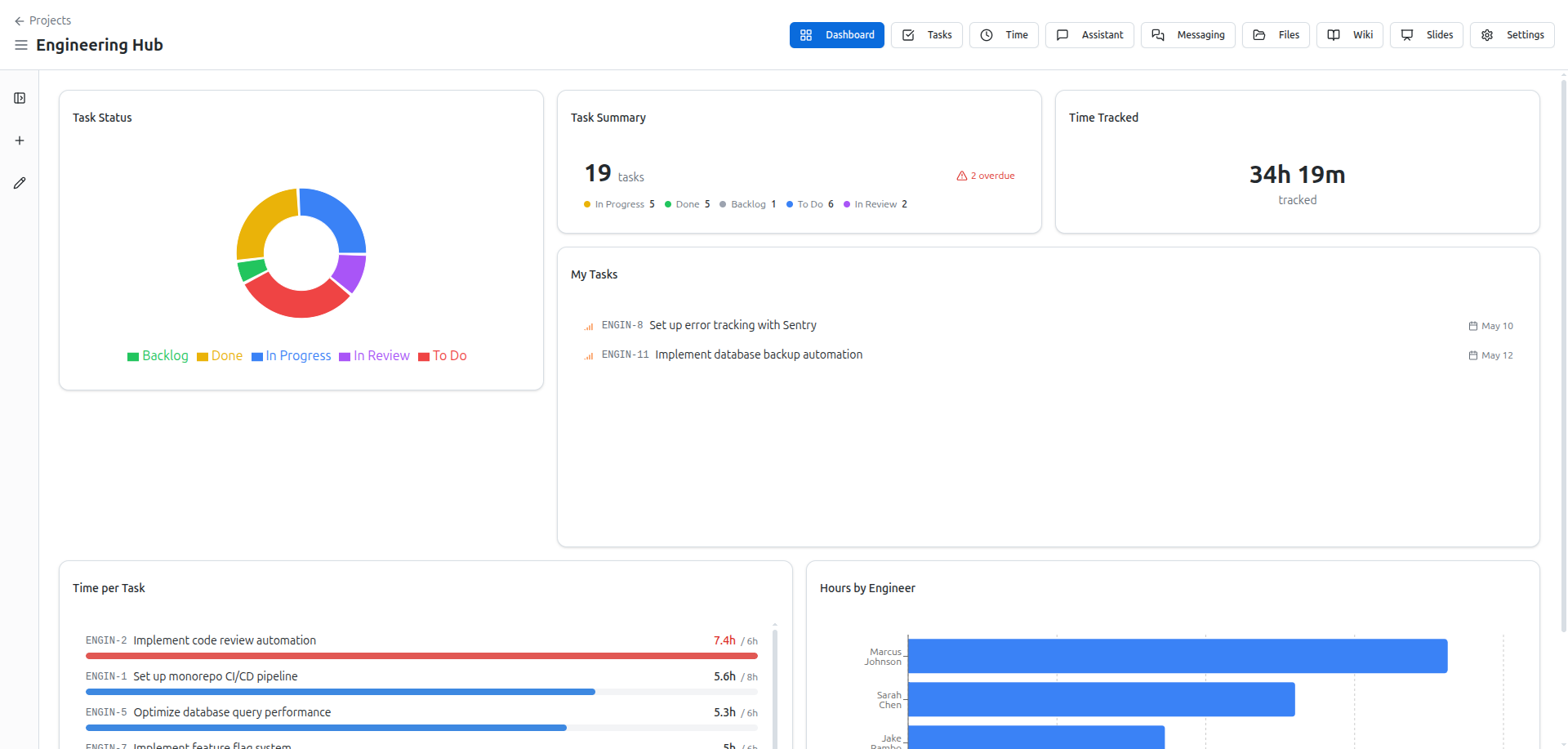
Make project time visible
Use the project’s time view to see how logged work maps to tasks and team members. This page:
- Shows aggregate time by member and by task.
- Highlights effort on high-priority or overdue work.
- Lets managers review whether time aligns with the project plan.
Use it when:
- You need to confirm a team is focused on the right work.
- You must report to a client or stakeholder on how much effort has gone into a phase.
- You are deciding whether to adjust scope or add resources.
Keep this view aligned with actual work:
- If tasks are mislabeled, the time view will look wrong even if people are logging honestly.
- Use labels and tasks correctly before relying on the project time report.
Log entries that survive review
Individual time entries feed the project report, so their quality matters.
Good entries:
- Name the project and task.
- Include start and end times.
- Describe the outcome, not just the activity.
- Mark billable status when required.
A clean habit is:
- Log time shortly after finishing the work.
- Use continue for the same context, not vague catch-all entries.
If you treat personal entries as durable, the project analytics stop being noise.
Use exports when decisions depend on data
Export project time when:
- You are preparing invoices or client summaries.
- You are comparing planned vs actual effort for a project retrospective.
- You are auditing whether certain tasks repeatedly consume more time than expected.
Before exporting:
- Confirm entries are attached to the correct project and task.
- Confirm billable status is accurate if it affects invoicing.
When to use project analytics
Use project time analytics when:
- You are managing multiple team members and need an overview of effort.
- You need to explain delays or bottlenecks using real logged time.
- You are adjusting project plans based on actual capacity, not guesses.
Avoid using it when:
- Time logging is incomplete or inconsistent; the view will mislead more than help.
- The team is still defining tasks and labels; clean the taxonomy first.
Use project time analytics when you are responsible for scope, deadlines, or capacity. Use it to spot tasks that repeatedly take longer than expected, and adjust estimates or resources accordingly. Pair it with personal time logging: if individuals do not log clearly, the project view will be unreliable. Avoid using it to shame individuals for slow work; use it to understand bottlenecks and improve the project plan. Export data only when it supports a real decision, not as a routine gesture.