Project channels and team messaging.
OneOrg channels work best when teams use them as durable decision spaces: name them by topic, choose the right audience, and keep project discussion searchable.
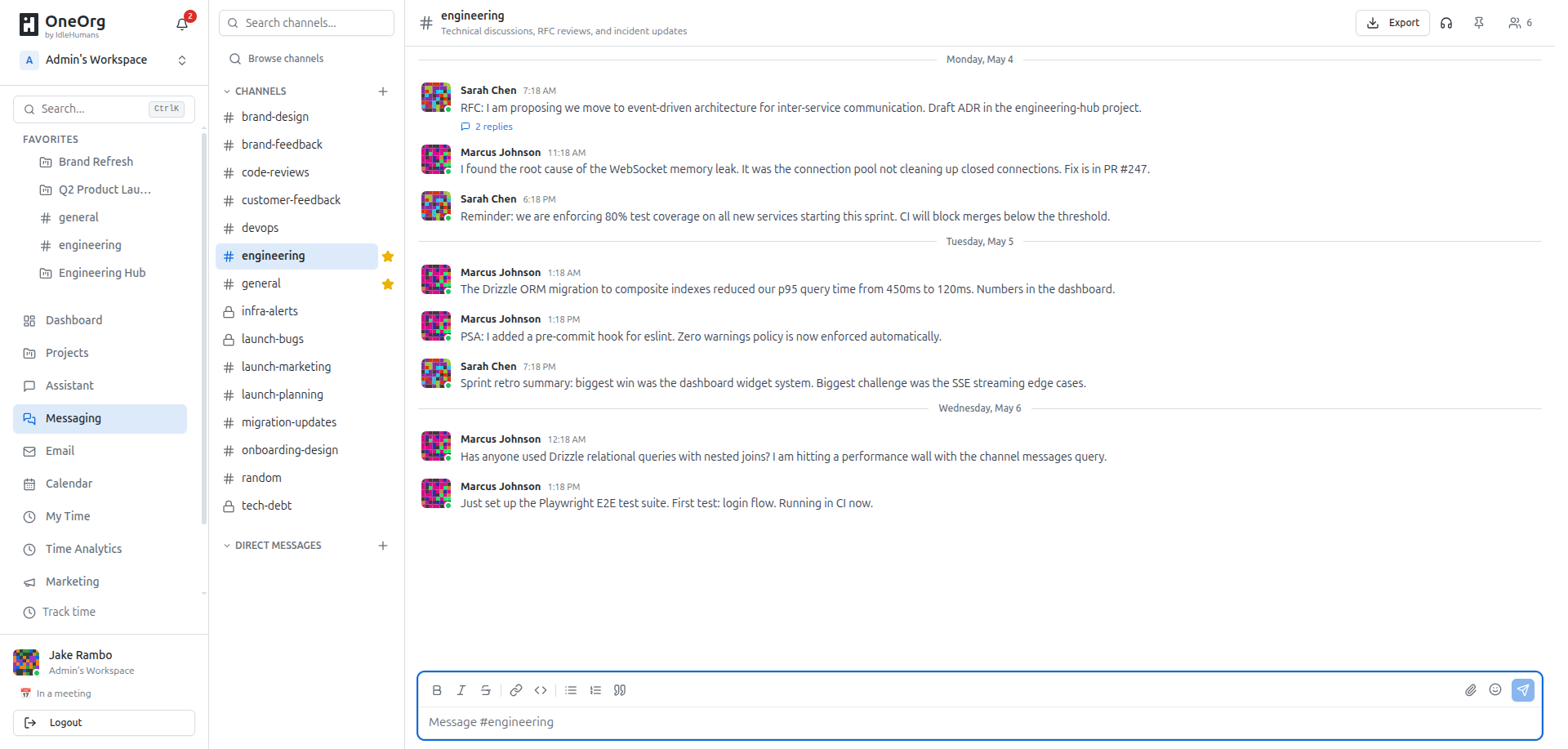
Channel setup
Create channels from the project or workspace messaging area. Start with the channel's job: delivery coordination, design review, support triage, release planning, client questions, or another topic the team will recognize later. Choose a name that describes the work, not the urgency of the day. Add a short description when the channel's scope is not obvious.
Set privacy before the channel becomes active. Open channels are better for shared project context. Private channels are better for narrow audiences, sensitive coordination, or temporary groups that should not distract the whole team. Add members from the organization member list and keep membership aligned with who needs to participate.
Use channels for decisions that should remain searchable. Use huddles when the conversation needs live voice or video. After a huddle, put the decision or next action back into the channel so the project history does not disappear into a call.
A good channel makes future search easier.
Set one norm early: decisions belong in the channel after live discussion. That makes channels useful for people who were not in the room and for agents that need project context later.
Keep the channel list boring and durable. A useful project usually has a small number of obvious channels, not a new channel for every burst of activity. Archive or rename channels when the scope changes so people can still find the right place to ask questions. If the same discussion keeps jumping between channels, the names or boundaries are wrong. Fix the structure instead of relying on users to remember where the last decision happened.
Keep decisions searchable
Use channels for ongoing project topics, visible coordination, decision records, support streams, and cross-functional updates. Pair channels with automations when certain activity should notify people or trigger a downstream action.
Do not use channels to manage access, provider configuration, model policy, or MCP tool permissions. Discuss those changes in a channel if needed, then make the actual change in the governed settings area.